Dear invey8 and LCB Team,
We have received information regarding the player's profile details. Upon additional check, we can see that the player is utilizing Trust Wallet.
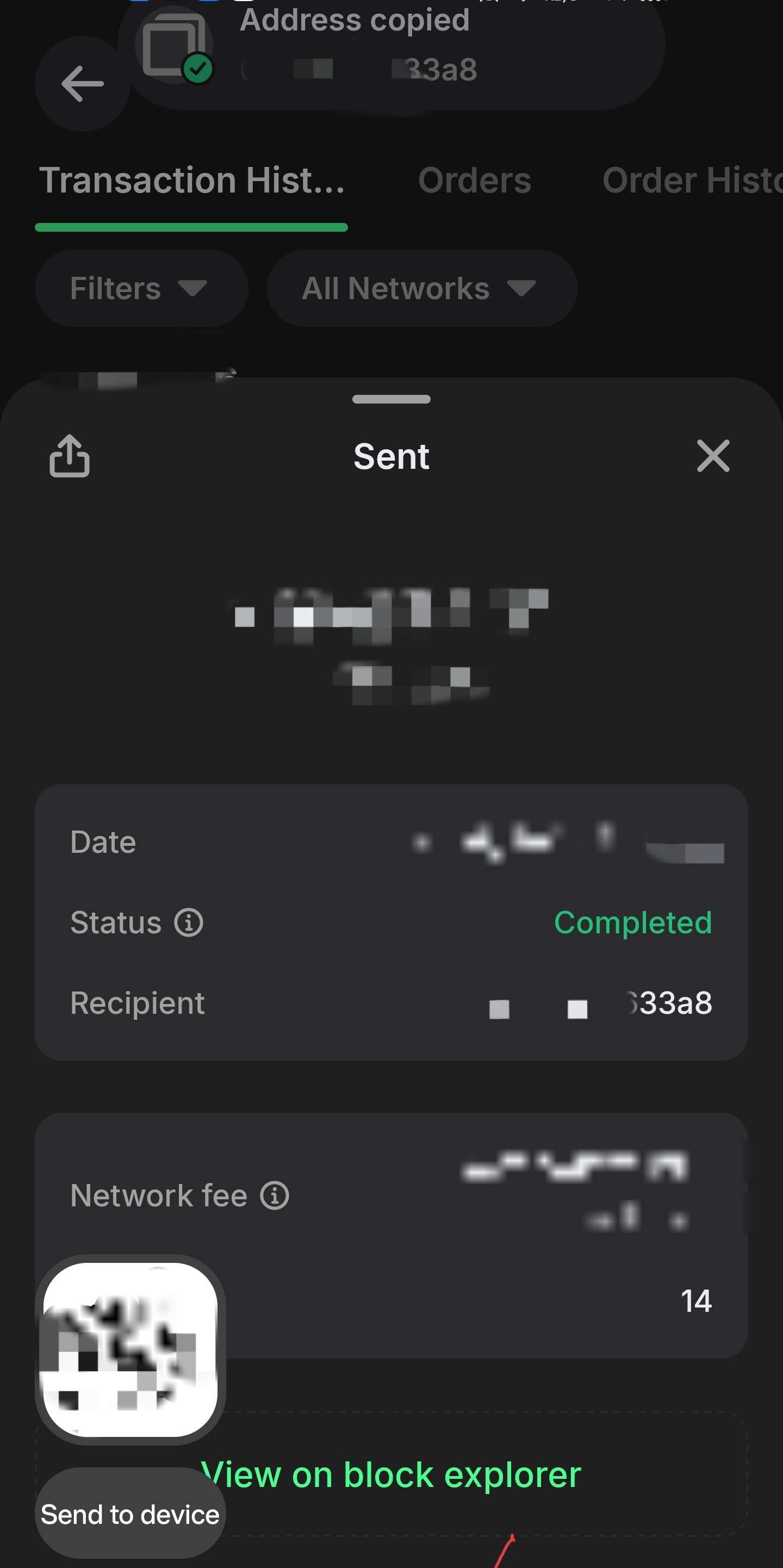
It, indeed, does not show the full wallet ID by default; however, it can be recorded using default features of multiple operating systems available. We attach an example of a floating window, configured on an Android device, showing the copied text as soon as it is copied, showing the address in full. We kindly ask the player to set it up and provide it in the same way, along with a recorded video, in order to show continuity between the in-app screenshot and explorer with full details, in case it would be needed additionally.
The clipboard floating window is a standard feature of Android, which is fully documented here: https://developer.android.com/develop/ui/views/touch-and-input/copy-paste. This feature was introduced in Android 13, starting to be deployed on phones from 2022 and above, which is why we are considering it standard for all modern devices. Conversely, such action can be performed on a Windows-based platform, using a click to copy and Win+V to display the clipboard, if the player uses a browser extension to access Trust Wallet. Documentation on this feature is available at Microsoft: https://support.microsoft.com/en-us/windows/apps/using-the-clipboard. We believe Mac UI has a similar feature, however, we are currently not able to provide precise details on how it works.
Respectfully,
Snatch Casino Representative.
Cari team di invey8 e LCB,
Abbiamo ricevuto informazioni relative ai dettagli del profilo del giocatore. Dopo ulteriori verifiche, abbiamo constatato che il giocatore utilizza Trust Wallet.
In effetti, di default non mostra l'ID completo del portafoglio; tuttavia, è possibile registrarlo utilizzando le funzionalità predefinite di diversi sistemi operativi. Alleghiamo un esempio di finestra mobile, configurata su un dispositivo Android, che mostra il testo copiato non appena viene copiato, visualizzando l'indirizzo completo. Chiediamo gentilmente al giocatore di configurarla allo stesso modo e di fornirci un esempio, insieme a un video registrato, in modo da dimostrare la coerenza tra lo screenshot in-app e l'explorer con tutti i dettagli, qualora fosse necessario.
La finestra mobile degli appunti è una funzionalità standard di Android, documentata in dettaglio qui: https://developer.android.com/develop/ui/views/touch-and-input/copy-paste. Questa funzionalità è stata introdotta in Android 13 e ha iniziato a essere implementata sui telefoni dal 2022 in poi, motivo per cui la consideriamo standard per tutti i dispositivi moderni. In alternativa, è possibile eseguire un'azione simile anche su piattaforme Windows, utilizzando un clic per copiare e la combinazione di tasti Win+V per visualizzare gli appunti, se si utilizza un'estensione del browser per accedere a Trust Wallet. La documentazione su questa funzionalità è disponibile sul sito di Microsoft: https://support.microsoft.com/en-us/windows/apps/using-the-clipboard . Riteniamo che l'interfaccia utente di Mac abbia una funzionalità simile, tuttavia al momento non siamo in grado di fornire dettagli precisi sul suo funzionamento.
Con rispetto,
Rappresentante di Snatch Casino.




 Traduzione